Hago- Party, Chat & Games
- 4.2
- Rating
- 100.00M
- Installs
- Free
- Price

 Analysis by App-foxy
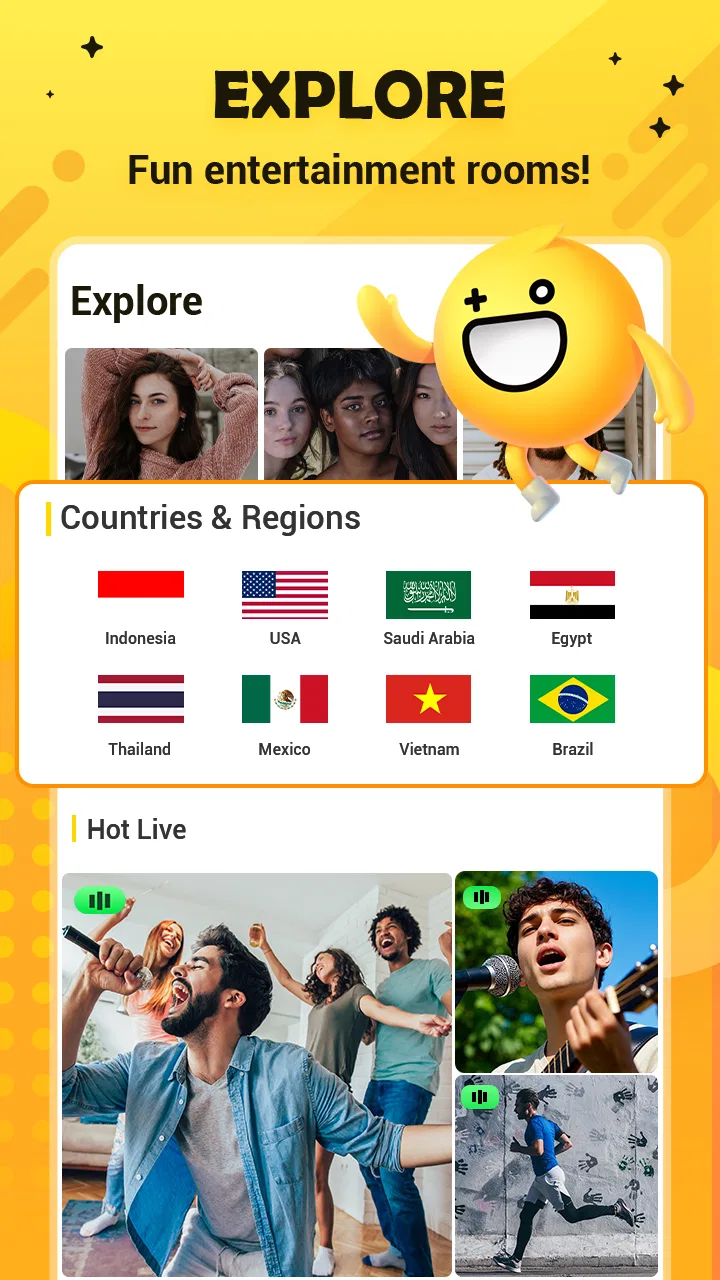
I approached Hago less like a single-purpose game and more like a busy social space that happens to include games. In one place, it brings together voice chat rooms, live streams, and casual social play, so the experience can change quickly from a short match to a conversation with people I have never met. That mix is its biggest attraction, but it is also the reason I would think carefully before putting it on a shared household device.
The app is developed by HAGO and sits in the social category rather than behaving like a traditional standalone game. It is free to install, although optional purchases range from small amounts to much larger individual items. Its Teen content rating matters here: this is not an app I would treat as automatically suitable for younger children simply because some of its games look lighthearted. My overall impression is positive for adults and older teens who enjoy meeting people through quick activities, provided they are comfortable managing the social side as carefully as the games.
How Hago fits into a shared household
I’d treat a shared household device as a handoff, not as an invitation for everyone to browse under one account. Before opening Hago, I’d agree who is using it and whether the session is for a game, a stream, or voice chat; that small plan helps prevent an ordinary family break from turning into an awkward mix-up. From there, it’s worth thinking about how each person can make the next session feel comfortable and intentional.
You May Also Like

 AccuWeather: Weather Radar
AccuWeather Review: A Quick, Clear Forecast for Everyday Decisions
For everyday plans, the best forecast is the one you can understand quickly. AccuWeather makes rain timing, radar, and local conditions easy to act on, with a few trade-offs.

 Hill Climb Racing
Why Hill Climb Racing Still Turns Crashes Into One More Run
A tiny car, a bumpy hill and one more upgrade: Hill Climb Racing keeps resurfacing because its simple chaos makes every near-miss feel personal.

 AliExpress - Shopping App
AliExpress Makes Global Shopping Feel Personal, but Shoppers Bear the Risk
AliExpress turns a global marketplace into a pocket-sized discovery engine. Its reach is useful, its shopping loop compelling, and its trade-offs easy to miss.

 Lords Mobile: Kingdom Wars
Lords Mobile Is a Kingdom-Building Routine, Not a Quick Match
A case-by-case verdict on the building, battles, device demands, and social commitments that make Lords Mobile rewarding for some players and exhausting for others.

 PDF Scanner app - TapScanner
TapScanner Makes Paperwork Easier to Capture, Check, and Share
TapScanner makes scanning with a phone feel less like a rescue operation and more like a dependable step in getting work done. Its capture tools are useful, though not flawless.

 Block Blast!
 Shows How Much a Puzzle Game Can Leave Out
A quiet grid game shows why puzzle players increasingly value instant clarity, repeatable skill and low-pressure play—and where the genre still needs to catch up.
More From Our News Desk
View All News


A realistic evening with one device
Imagine a household tablet sitting in the living room. One person wants a quick social game, another wants to listen to a live stream, and someone else is curious about a voice room. Hago can serve all three interests, which makes it more flexible than an app built around one game or one communication format. I can see the appeal when friends or relatives take turns using the same device, especially when the goal is casual entertainment rather than a serious competitive session.
The catch is that the app’s social identity follows the account, not the room. A person opening it after somebody else may encounter the previous user’s conversations, rooms, streams, or recommendations. Even without assuming any particular device feature, that is enough reason to avoid treating a shared installation as if it were a neutral family game. I would agree on whose account is being used before opening it, and I would close the app when handing the device to someone else.
That small habit is more important than it sounds. Social apps can expose context through notifications, recent activity, usernames, or visible conversations. A shared device therefore needs a clear handoff routine: finish the session, leave any room, check what remains on screen, and pass over the device only after the next user knows which account is active. Hago is enjoyable when those boundaries are understood; it becomes awkward when everyone assumes somebody else is responsible for them.
What the first session feels like
My first impression was that Hago encourages browsing. Instead of opening directly into one carefully focused activity, I found myself moving between social options. That is useful when I do not know exactly what I want to do. A few spare minutes can become a casual game, while a longer break can turn into voice conversation or watching a live broadcast.
This variety also creates a mild attention problem. If I want a quiet game with no social distraction, Hago is not as focused as a dedicated puzzle or board-game app. The social layer is not an accessory; it is part of the product’s identity. I would choose it for spontaneous interaction, not for a calm, uninterrupted session.
The app supports Android devices running at least version 6.0, which makes its compatibility fairly broad. It was released on September 18, 2018, and the current version is 5.45.0. Those details make it easier to understand the product’s place: this is an established social app that has continued evolving rather than a newly launched experiment. I still recommend keeping the app updated, especially when using voice and live features, because older builds can make any social application feel less reliable.
Setting boundaries before anyone starts
For a personal phone, I would begin by deciding whether Hago is mainly for games, live viewing, or conversation. That choice changes how I use it. If I am there for quick entertainment, I can avoid lingering in rooms that do not interest me. If I am joining conversations, I need to be more deliberate about who can hear me and what I choose to share.
On a shared device, I would go further and establish three simple rules. First, only one person uses the account at a time. Second, nobody spends money without asking the account owner. Third, voice and live areas are treated as public social spaces, not as private family chat. These rules do not require special tools or complicated settings, and they prevent the most predictable misunderstandings.
The purchase issue deserves particular attention. Hago is free, but it includes in-app purchases priced from $0.20 to $304.99 per item. That is a very wide range, so I would never let a child or guest assume that a free download means every action inside it is free. On a household device, the person who controls the store account should explain the purchase boundary clearly before anyone explores the app.
Coordinating voice rooms and live content
Voice chat changes the household experience more than the games do. A player can be physically sitting in the same room as the family while socially participating somewhere else. That can be fun, but it can also create noise, interruptions, or accidental sharing of background conversations. I would use headphones when appropriate, and I would avoid voice rooms during moments when other people in the home expect privacy.
There is also a useful coordination trick for groups of friends: agree on the activity before entering a room. Hago’s range of social options can otherwise lead to people joining with different expectations. One person may want to play, another may want to talk, and a third may only be watching. A quick message outside the session can save time and reduce the feeling that somebody has been pulled into the wrong kind of interaction.
For family members sharing one device, I would keep sessions short and explicit. Saying “I am finished; the account is still open” is more useful than silently putting the tablet down. This is especially important if the next person is younger or less familiar with social apps. The aim is not to make Hago formal or restrictive, but to make the account boundary visible.
Live streams bring a different rhythm from games. A game usually gives me a clear beginning and end, while a stream can continue in the background and encourage longer browsing. I found that distinction helpful when deciding whether Hago belonged in a planned activity or an open-ended break. If I have limited time, I prefer choosing a specific game. If I want to relax and see what is happening, the live side makes more sense, but it is easier to lose track of time.
Age, trust, and the Teen rating
The Teen rating should guide the household conversation. I would not install Hago on a child’s device simply because the app includes casual games. The presence of voice rooms, live streams, and contact with other users changes the level of judgment required. Older teenagers may be able to use it responsibly, but that depends on maturity, privacy habits, and an understanding that friendly conversation online is not the same as knowing someone personally.
My advice is to explain practical boundaries rather than relying on vague warnings. Do not share a home address, school details, passwords, private photographs, or information that identifies another family member. Do not move a conversation elsewhere just because someone asks. If a room or person makes the user uncomfortable, leave it and tell a trusted adult. These are sensible rules for Hago because its value comes from interaction, and interaction always carries more uncertainty than playing offline.
Adults should also remember that supervision is not only about younger users. A shared household account can blur identities, and a teenager may accidentally appear to be the person who used the app earlier. Separate personal devices or clearly separated accounts are better when several people want regular access. Hago works best when each user understands whose profile is active and accepts responsibility for what happens during that session.
I would also discuss spending in plain language. The low starting price can make purchases feel harmless, while the upper end of the range shows why a household needs a firm rule. A child should not be expected to interpret virtual items or social rewards the same way an adult does. If the app is used by multiple people, the safest approach is to make purchasing an adult decision rather than an accidental part of exploration.
What it does better than usual alternatives
Compared with a dedicated mobile game, Hago offers more ways to move from play into conversation without changing apps. That is its clearest strength. I can arrive wanting a quick diversion and end up participating in a social room, or I can watch a live stream instead of playing. A standalone game is usually better at depth, polish, and concentration, but it cannot offer this same broad social pivot.
Compared with a conventional messaging app, Hago gives people an activity to share. Conversation does not have to carry the entire interaction because a game or stream can provide a common focus. That makes it appealing for users who find open-ended chatting uncomfortable or repetitive. On the other hand, messaging apps are usually the better choice when I need private, direct communication with people I already know.
Compared with a live-streaming platform, Hago feels more participatory because games and voice rooms sit alongside viewing. The trade-off is focus. A specialist streaming service may be preferable when I want strong discovery tools around broadcasts, while Hago is more attractive when watching is only one part of the evening. I would choose based on intention rather than assuming one app replaces all the others.
Compared with a family-oriented offline game, Hago requires more attention to account identity and social contact. That is the central trade-off. It can create connections that a local game cannot, but it also asks users to make decisions about strangers, conversations, and public behavior. For a household seeking simple, low-risk entertainment, another option may be the wiser choice.
Three details that changed how I use it
The first is to separate “quick game” time from “social room” time. I initially treated the app as one continuous feed, but I found it easier to stay in control when I decided my purpose before opening it. A short session works well when I choose one activity and leave afterward. Browsing without a plan is more likely to become a longer, less focused visit.
The second is to treat the microphone as a deliberate decision, not a default part of social play. Before entering a voice area, I check what is happening around me and whether other people might be heard. This is particularly useful in a living room, dormitory, or workplace, where private background talk can easily become part of an online conversation.
The third is to use a verbal handoff on shared devices. I say which account is open, whether a voice session has ended, and whether anything was purchased or changed. That sounds overly cautious until a family member opens an app under someone else’s identity. It is a simple workflow that protects both privacy and trust without making the app difficult to enjoy.
A fourth insight is to judge the app by the people involved, not only by the game selection. Hago can be a good bridge for friends who want something to do while talking, but it is a poor fit for someone who dislikes unpredictable social contact. The same feature that makes the app lively for one user can make it tiring for another.
Where the experience can become frustrating
The breadth of Hago is not always an advantage. When several formats compete for attention, the app can feel busier than a focused game. I sometimes had to make a conscious choice to stop browsing and actually play. Users who prefer clear menus, quiet sessions, or a single long-term game may find the social variety distracting rather than useful.
Voice interaction also introduces dependence on other people’s behavior. A good room can make a casual session feel surprisingly social, while an uncomfortable room can end the experience quickly. That unpredictability is not a flaw unique to Hago, but it is central enough that anyone seeking a controlled, private environment should choose a different kind of app.
The free entry point is convenient, yet the purchase range means the financial side deserves more attention than the word “free” suggests. I would not recommend handing over a shared device without explaining this. Even adults can make impulsive decisions when virtual items are presented during an entertaining social session, so a pause-before-purchase rule is sensible for everyone.
Hago also asks more from a device and its surroundings than an offline game. Voice, live viewing, and social browsing are more comfortable with a stable connection and a reasonably quiet setting, although I would not turn that into a promise about performance on every network or phone. If the device is old, crowded with apps, or regularly used by several people, keeping expectations modest is wise.
Who should use it and who should skip it
I would recommend Hago to adults and mature older teens who enjoy casual games as a starting point for conversation. It is especially suitable for someone who gets bored moving between separate game, chat, and streaming apps. The combination makes it easy to fill a short break or give a group of friends something to do while they talk.
I would also consider it for a household that can agree on account ownership and spending rules. The app can work on a shared tablet when users communicate clearly and understand that the active profile represents one person. It is not a good match for a home where everyone opens apps casually, leaves sessions running, or expects a social platform to behave like a child-safe family board game.
I would skip it if my priority were deep gameplay, private messaging, or a completely predictable viewing experience. A dedicated game is better for concentration, a familiar messaging service is better for direct contact, and a specialist streaming platform may be better for people who only want broadcasts. Hago’s value comes from combining these directions, so its compromises are part of the package.
My household verdict
Hago is a lively social app with enough variety to keep a casual user interested beyond one game. Its free installation, broad Android compatibility, and established audience help explain why it has reached over 100 million installs, while its average rating of 4.2 from around 6.4 million ratings suggests that many users find the overall experience worthwhile. Those figures do not change my main advice: popularity is not a substitute for sensible boundaries.
For me, the best way to use it is intentional rather than automatic. I choose whether I want a game, a voice room, or a live stream, keep personal information private, and make the account owner clear on a shared device. I also treat purchases as an adult decision and remember that the Teen rating applies to the social environment as much as to the games.
After spending time with it, I would recommend Hago to the right person, not to everyone. If you want casual play with conversation built nearby, it offers a convenient and energetic package. If you want a quiet family game or a private communication tool, I would point you elsewhere. In a household, the app earns its place when coordination and trust are already part of the routine; without those two things, its social flexibility can quickly become its biggest weakness.
FAQs for Hago- Party, Chat & Games
01What is Hago and how does it work?
Hago is a social networking app that combines party games, chat features, and community interaction. Users can play a variety of mini-games, join or create chat rooms, and engage with others in a lively social environment. The app aims to foster connections through gaming and social activities.
02Is Hago free to download and use?
Yes, Hago is free to download on both Android and iOS devices. While the app offers numerous free features, it also includes in-app purchases and optional subscriptions that enhance the user experience, such as purchasing virtual items or unlocking premium features.
03What types of games are available on Hago?
Hago offers a wide range of mini-games that cater to different interests, including casual puzzles, strategy games, and competitive challenges. The app frequently updates its game library to keep the experience fresh and engaging, ensuring there is something for everyone to enjoy.
04How does Hago ensure user safety and privacy?
Hago implements various safety measures to protect its users, including moderation of chat rooms and reporting features for inappropriate behavior. The app adheres to privacy policies that safeguard user data, but it’s always recommended to review these policies and manage your privacy settings accordingly.
05Can I make friends and chat with others on Hago?
Absolutely! Hago is designed to be a social platform where users can chat with friends, join chat rooms, and meet new people. The app offers features like voice and text chat, allowing for interactive communication while playing games or just socializing.
Pros
- Wide variety of mini-games available.
- Real-time multiplayer gaming experience.
- Interactive voice chat feature.
- User-friendly interface and design.
- Regular updates with new content.
Cons
- Contains in-app advertisements.
- Requires a stable internet connection.
- Limited game customization options.
- Some games may lack depth.
- Potential for high data usage.

Hago- Party, Chat & Games
Gallery